
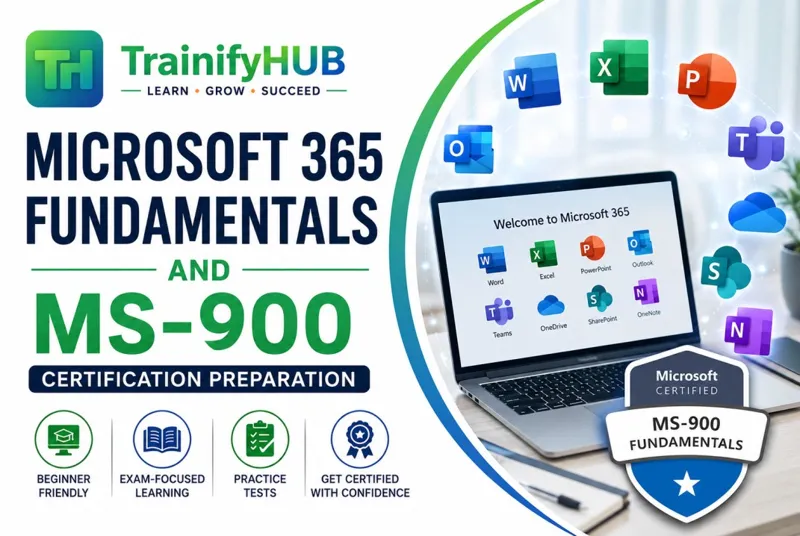
Microsoft 365 Fundamentals and MS-900 Certification Preparation
A complete beginner-friendly programme covering Microsoft 365 cloud concepts, collaboration, security, compliance, device management, and MS-900 exam readiness.
No ratings yet
3.00 CPD Points
MODULES
11
DURATION
3h
STUDENTS
4+
LEVEL
beginner
Course Price
GBP 25.00
One-time payment - Lifetime access
This course includes:
11 comprehensive modules
3h of video content
PDF, PPT & Infographics included
Final assessment included
Lifetime access on mobile & desktop
Certificate of completion
3.00 CPD Points
CATEGORY
EmployabilityLAST UPDATED
Jul 2026
Course Price
GBP 25.00
One-time payment - Lifetime access
This course includes:
11 comprehensive modules
3h of video content
PDF, PPT & Infographics included
Final assessment included
Lifetime access on mobile & desktop
Certificate of completion
3.00 CPD Points
CATEGORY
EmployabilityLAST UPDATED
Jul 2026
About this course
This comprehensive Microsoft 365 Fundamentals course provides a structured understanding of cloud computing principles, Microsoft 365 core services, collaboration tools, security architecture, compliance frameworks, endpoint management, and service trust concepts. Designed in alignment with MS-900 exam objectives, the course combines business context with technical fundamentals to ensure learners understand not only how Microsoft 365 works, but why its architecture matters in modern organisations. Through ten progressive modules, learners build from cloud foundations to security, governance, licensing, and operational oversight, culminating in structured exam preparation and practical interpretation strategies. This course is suitable for business users, aspiring administrators, IT beginners, and professionals seeking foundational Microsoft 365 certification knowledge.
Learning Outcomes
Module 1: Foundations of Cloud Computing and Microsoft 365
By the end of this module, learners will be able to:
• Explain the core principles of cloud computing and cloud architecture
• Identify key cloud characteristics such as scalability, elasticity, availability and resilience
• Describe the shared responsibility model across SaaS, PaaS and IaaS service models
• Compare cloud deployment models including public, private, hybrid and multi-cloud
• Explain how Microsoft 365 operates as a SaaS solution within the Microsoft Cloud ecosystem
• Identify core Microsoft 365 components including Entra ID, Exchange Online, SharePoint Online and Teams
• Understand the concept of tenants, subscriptions and licensing within Microsoft 365
Module 2: Microsoft 365 Core Services and User Experience
By the end of this module, learners will be able to:
• Identify the key applications and services within Microsoft 365
• Explain how Microsoft 365 operates across web, desktop and mobile environments
• Describe the role of Exchange Online and Outlook in email and calendaring
• Understand the purpose of OneDrive for personal file storage and synchronisation
• Explain how SharePoint supports document libraries, team sites and organisational intranets
• Describe collaboration features including co-authoring, version history and commenting
• Understand the structure of tenants, domains, users and groups within Microsoft 365
Module 3: Collaboration and Teamwork with Microsoft Teams
By the end of this module, learners will be able to:
• Explain the structure of Microsoft Teams including teams, channels and chats
• Understand the lifecycle of meetings including scheduling, roles and recordings
• Differentiate between chat conversations and channel-based collaboration
• Explain how file storage in Teams integrates with SharePoint and OneDrive
• Identify collaboration features such as mentions, tags, apps and approvals
• Understand task management tools including Planner and Microsoft To Do
• Apply best practices for organising teamwork and project communication
Module 4: Productivity and Work Management in Microsoft 365
By the end of this module, learners will be able to:
• Apply effective calendar and time management practices within Microsoft 365
• Organise tasks and prioritise work using digital productivity tools
• Use Microsoft Forms to collect structured data and feedback
• Utilise OneNote for organised note-taking and knowledge management
• Use SharePoint pages and lists to track work and manage collaborative information
• Understand basic workflow automation concepts using Power Automate
• Develop a structured digital workplace routine to improve productivity
Module 5: Identity and Access Management Fundamentals with Microsoft Entra ID
By the end of this module, learners will be able to:
• Explain the importance of identity as the foundation of cloud security
• Describe the difference between authentication and authorisation
• Understand the role of Microsoft Entra ID as a cloud identity provider
• Identify security controls including Multi-Factor Authentication (MFA)
• Understand Role-Based Access Control (RBAC) and least privilege principles
• Explain how Conditional Access policies help manage risk and secure access
• Describe how identity-based security protects organisational resources
Module 6: Security and Threat Protection Fundamentals in Microsoft 365
By the end of this module, learners will be able to:
• Identify common cyber threats including phishing, malware and ransomware
• Explain key security principles including Least Privilege, Defence in Depth and Zero Trust
• Understand how Microsoft Defender protects identity, email and cloud applications
• Describe email protection features including anti-spam and anti-phishing controls
• Identify indicators such as risky sign-ins and suspicious activity
• Understand the role of Secure Score in measuring security posture
• Recognise the importance of strong user security practices
Module 7: Information Protection and Data Loss Prevention in Microsoft 365
By the end of this module, learners will be able to:
• Explain the importance of data classification and information protection
• Understand how sensitivity labels classify and protect sensitive information
• Describe how encryption protects data across Microsoft 365 environments
• Explain the concept of Data Loss Prevention (DLP) policies
• Identify DLP actions including detect, warn, block and report workflows
• Understand sharing controls for internal and external collaboration
• Recognise the importance of retention and information lifecycle management
Module 8: Compliance, Privacy, Governance and Auditing in Microsoft 365
By the end of this module, learners will be able to:
• Explain the concept of compliance and regulatory responsibility
• Understand the role of Microsoft Purview in compliance management
• Describe how audit logs support monitoring and investigations
• Understand the purpose of eDiscovery in legal and compliance scenarios
• Identify key privacy principles including data minimisation and transparency
• Explain governance structures including policies, roles and accountability
• Understand how compliance scores support continuous improvement
Module 9: Device and Endpoint Management Fundamentals in Microsoft 365
By the end of this module, learners will be able to:
• Explain why endpoint management is essential for modern organisations
• Understand how Microsoft Intune enables device enrolment and policy enforcement
• Differentiate between configuration policies and compliance policies
• Explain Bring Your Own Device (BYOD) and corporate-owned device strategies
• Understand mobile application management (MAM) concepts
• Recognise how device health integrates with identity-based Conditional Access
• Describe best practices for device security and update management
Module 10: Service Trust, Licensing and MS-900 Exam Readiness in Microsoft 365
By the end of this module, learners will be able to:
• Understand service availability and Service Level Agreements (SLAs)
• Monitor service health and incident communication within Microsoft 365
• Identify administrative support and escalation pathways
• Understand licensing structures including tenants, subscriptions and licences
• Explain how Microsoft 365 plans align with business needs
• Review key cloud, security and compliance terminology
• Apply exam strategies for interpreting MS-900 certification questions
Accreditation & Recognition
This course is officially recognised and certified
3.00
CPD
Points Awarded
All accreditations are verified and recognised by relevant industry bodies. Upon successful completion, your certificate will display the appropriate accreditation marks.
Frequently Asked Questions
5 questions answered
Yes. This course is designed for beginners and business professionals with little or no prior Microsoft 365 technical experience.
Yes. The content follows the structure of the Microsoft 365 Fundamentals (MS-900) exam objectives.
The course focuses on conceptual understanding and exam preparation. Practical examples are included at a business and architectural level.
Each module includes knowledge checks or multiple-choice assessments aligned with MS-900 exam style questions.
Business users, IT beginners, aspiring administrators, consultants, and professionals seeking Microsoft 365 foundational knowledge.
What You'll Learn
• Core cloud computing concepts and Microsoft 365 architecture
• Microsoft 365 apps and services across desktop, web, and mobile
• Collaboration using Teams, SharePoint, OneDrive, and Planner
• Identity and access management using Microsoft Entra ID
• Multi-factor authentication and conditional access principles
• Microsoft Defender and threat protection basics
• Information protection, sensitivity labels, and DLP concepts
• Compliance, governance, audit logs, and eDiscovery fundamentals
• Device management using Microsoft Intune concepts
• Service health, licensing structure, and tenant fundamentals
• MS-900 exam strategy and question interpretation techniques
Why This Course
Modern organisations rely on Microsoft 365 to deliver secure, collaborative digital workplaces. However, understanding how cloud services, identity, security, compliance, and licensing interconnect is essential for effective implementation and governance. This course bridges the gap between business understanding and technical fundamentals. It provides a structured, exam-aligned pathway that builds conceptual clarity rather than tool memorisation. Whether preparing for MS-900 certification or strengthening organisational digital literacy, this course ensures learners gain both confidence and competence.
Certificate of Completion
Upon successful completion of this course and passing the final assessment, learners will receive a:
Certificate in Microsoft 365 Fundamentals and Cloud Administration
This certification confirms that the learner has demonstrated knowledge of:
• Core principles of cloud computing and Microsoft Cloud architecture
• Microsoft 365 core services including Exchange Online, SharePoint Online, OneDrive and Microsoft Teams
• Collaboration, communication and productivity tools within Microsoft 365
• Identity and access management fundamentals using Microsoft Entra ID
• Security and threat protection principles including Zero Trust and Microsoft Defender
• Information protection, sensitivity labels and Data Loss Prevention (DLP) concepts
• Compliance, governance, auditing and privacy controls using Microsoft Purview
• Device and endpoint management fundamentals using Microsoft Intune
• Service health monitoring, licensing structures and Microsoft 365 operational management
The certificate supports professional cloud knowledge, Microsoft 365 administration awareness and readiness for Microsoft 365 Fundamentals (MS-900) level concepts used in modern cloud-based organisations.
Course Highlights
4+
Students Enrolled
New
Be the first!
3h
Total Duration
Student Reviews
0.0
0 stars
Based on 0 reviews
5
0
4
0
3
0
2
0
1
0
🔒 Log In to Review
You must be logged in to submit a review. Please log in or create an account.