
Microsoft Excel for Workplace Data Management, Reporting & Business Productivity
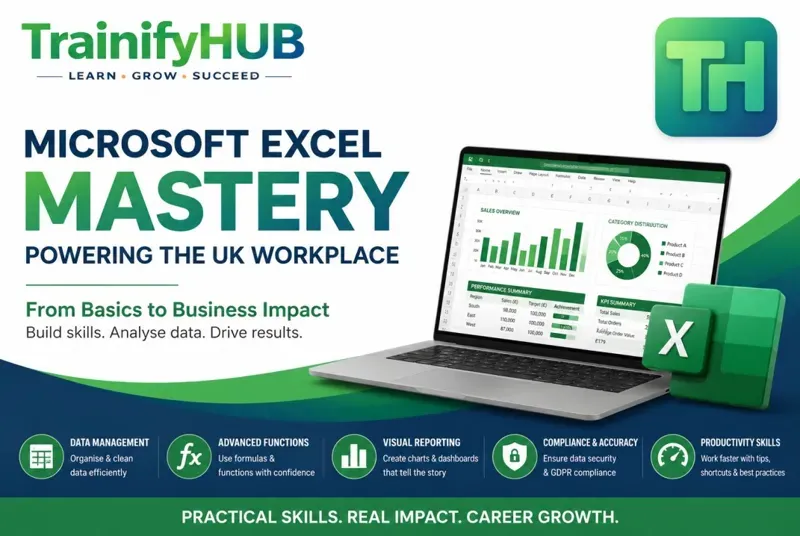
Master Microsoft Excel for workplace data management, reporting, calculations, and business productivity. Learn how to organise data, create reports, analyse information, track KPIs, use formulas, maintain GDPR compliance, and improve workplace efficiency with practical UK business examples.
No ratings yet
3.00 CPD Points
MODULES
11
DURATION
2h
STUDENTS
0+
LEVEL
beginner
Course Price
GBP 20.00
One-time payment - Lifetime access
This course includes:
11 comprehensive modules
2h of video content
PDF, PPT & Infographics included
Final assessment included
Lifetime access on mobile & desktop
Certificate of completion
3.00 CPD Points
CATEGORY
Technical SkillsLAST UPDATED
Jun 2026
Course Price
GBP 20.00
One-time payment - Lifetime access
This course includes:
11 comprehensive modules
2h of video content
PDF, PPT & Infographics included
Final assessment included
Lifetime access on mobile & desktop
Certificate of completion
3.00 CPD Points
CATEGORY
Technical SkillsLAST UPDATED
Jun 2026
About this course
Microsoft Excel remains one of the most valuable workplace skills across the UK. From administration and finance to healthcare, retail, construction, education, and customer service, organisations rely on Excel to organise data, monitor performance, and support informed decision-making.
This practical course provides a step-by-step introduction to Excel for workplace environments. Learners will develop confidence in navigating spreadsheets, managing data accurately, using formulas, creating reports, analysing trends, and producing professional business documents.
The course focuses on real workplace applications rather than theory alone. Through practical examples and business scenarios, learners will discover how Excel can save time, reduce errors, improve productivity, and support organisational compliance requirements.
By the end of the course, learners will be able to confidently use Excel to manage information, generate reports, track performance indicators, and maintain professional standards for workplace data handling.
Learning Outcomes
After completing this course, learners will be able to:
Explain the role of Excel in modern workplace operations
Navigate Excel workbooks and worksheets efficiently
Enter, edit, and structure business data accurately
Sort and filter records to identify important information
Apply common workplace formulas and functions
Calculate business metrics using Excel tools
Create charts that communicate information effectively
Develop reports to support decision-making
Implement spreadsheet quality control measures
Apply version control and professional file management
Follow data protection and GDPR awareness principles
Produce accurate, professional, workplace-ready spreadsheets
Accreditation & Recognition
This course is officially recognised and certified
3.00
CPD
Points Awarded
All accreditations are verified and recognised by relevant industry bodies. Upon successful completion, your certificate will display the appropriate accreditation marks.
Frequently Asked Questions
6 questions answered
This course is designed for beginners and those with limited Excel experience.
No. The course starts with the fundamentals and gradually introduces more advanced workplace functions.
Yes. You will learn commonly used workplace formulas including SUM, AVERAGE, COUNTA, IF, SUMIF, COUNTIF, MIN, MAX, and TODAY.
Yes. Learners will understand how to build reports, analyse workplace data, and monitor key performance indicators.
Yes. The course includes awareness of GDPR principles relevant to workplace spreadsheet management and data security.
The skills taught are applicable across finance, healthcare, education, retail, construction, customer service, HR, administration, logistics, and many other sectors.
What You'll Learn
Navigate the Microsoft Excel interface confidently
Understand workbooks, worksheets, rows, columns, and cells
Enter, edit, and organise workplace data accurately
Sort and filter information to locate key records quickly
Apply professional formatting techniques
Use essential Excel formulas and functions
Calculate totals, averages, percentages, and counts
Apply IF, SUMIF, COUNTIF, MIN, MAX, and TODAY functions
Create meaningful workplace reports
Develop KPI tracking spreadsheets
Produce charts and visual reports for management
Improve spreadsheet accuracy through validation and auditing
Apply effective file management and version control practices
Understand GDPR principles relevant to workplace spreadsheets
Reduce data entry errors and improve productivity
Create professional Excel documents suitable for business use
Why This Course
Excel skills are among the most requested digital competencies in UK workplaces. Employers increasingly expect staff to manage data, produce reports, monitor performance, and support operational decision-making using spreadsheets.
Whether you work in administration, finance, healthcare, education, retail, customer service, HR, construction, or management, Excel proficiency can improve efficiency, accuracy, and career progression opportunities.
Certificate of Completion
Upon successful completion of this course, learners will receive a Certificate of Completion demonstrating their knowledge of Microsoft Excel workplace applications, data management, reporting techniques, productivity tools, and spreadsheet best practices.
The certificate can be used to support Continuing Professional Development (CPD), demonstrate workplace digital competency, and enhance professional portfolios.
Course Highlights
0+
Students Enrolled
New
Be the first!
2h
Total Duration
Student Reviews
0.0
0 stars
Based on 0 reviews
5
0
4
0
3
0
2
0
1
0
🔒 Log In to Review
You must be logged in to submit a review. Please log in or create an account.