 More in IT Skills
IT Skills
Microsoft Excel for Workplace Data Management, Reporting & Business Productivity
4.8(20)
11 modules2h98
GBP20.00
Build practical workplace prompting skills for clearer, safer AI outputs.
9
2h
73+
beginner
Course Price
GBP 20.00
One-time payment - 9 months' access
Buying for your team?
Up to 30% off per seat: 10+ seats 10%, 25+ seats 20%, 50+ seats 30%.
CATEGORY
IT SkillsLAST UPDATED
Oct 2026
Course Price
GBP 20.00
One-time payment - 9 months' access
Buying for your team?
Up to 30% off per seat: 10+ seats 10%, 25+ seats 20%, 50+ seats 30%.
CATEGORY
IT SkillsLAST UPDATED
Oct 2026
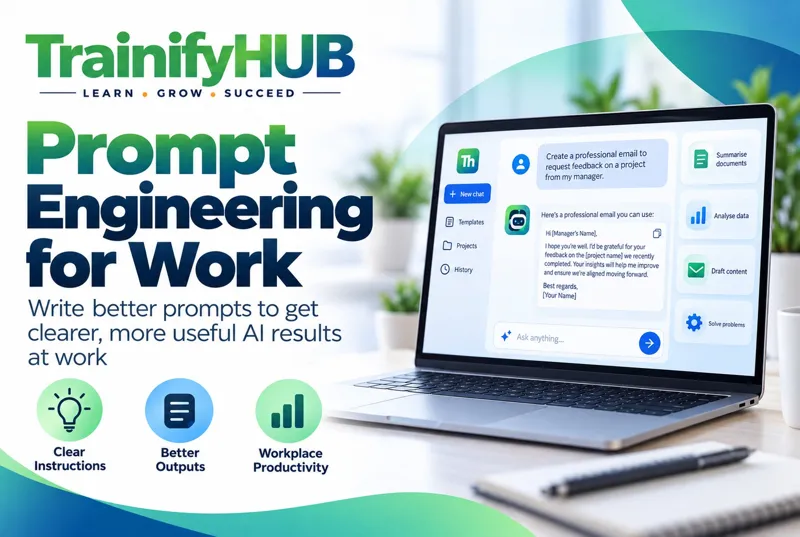
Prompt Engineering for Work develops practical skills for writing, refining and reusing prompts for common workplace tasks. Across eight Modules, learners build prompts around goals, context, source material, constraints, audience and output format; use examples and reference material; refine outputs through follow-up prompts; apply reusable patterns for drafting, summarising and analysis; and use appropriate human review.
The course also covers safe prompting, confidentiality, personal-data awareness and prompt-injection risk. It keeps the emphasis on practical workplace use rather than coding, model development or vendor-specific automation.
By completing this course, learners will be able to:
Explain the main components of a structured workplace prompt.
Write prompts that define goal, context, source/reference material and expectations.
Use audience, tone, constraints and output format deliberately.
Use examples and reference material without assuming guaranteed accuracy.
Refine outputs through iterative and neutral follow-up prompts.
Use reusable prompting patterns for drafting, summarising and analysis.
Apply basic privacy, confidentiality and cyber-security awareness when prompting AI.
Explain prompt injection at awareness level.
Design simple reusable prompt workflows with human-review checkpoints.
Course Content
Module 1 - Prompt Engineering Fundamentals for Workplace AI
Module Learning Outcomes
By the end of this Module, learners will be able to:
• Understand prompting as clear task instruction rather than a guarantee of truth.
• Compare a vague project-update request with a structured version that identifies audience, source notes, tone and output format.
Module 2 - Goal, Context, Source and Expectations
Module Learning Outcomes
By the end of this Module, learners will be able to:
• Build prompts around a clear goal, relevant context, reference material and explicit expectations.
• Draft a client-delay email from an approved non-sensitive delivery note, specifying audience, 150-word limit and a clear call to action.
Module 3 - Constraints, Tone, Audience and Output Format
Module Learning Outcomes
By the end of this Module, learners will be able to:
• Shape outputs for the intended stakeholder and purpose.
• Turn the same project notes into a concise board briefing and a plain-language team update.
Module 4 - Examples, Reference Material and Structured Prompts
Module Learning Outcomes
By the end of this Module, learners will be able to:
• Use examples and approved reference material to improve alignment.
• Provide a short approved policy extract and ask for a checklist based on it, then compare the output with the original extract.
Module 5 - Iteration, Follow-Up Prompts and Refinement
Module Learning Outcomes
By the end of this Module, learners will be able to:
• Improve an output through targeted, neutral follow-up instructions.
• Refine a summary that contains an unsupported claim, then independently verify the revised version against the source.
Module 6 - Prompt Patterns for Drafting, Summarising and Analysis
Module Learning Outcomes
By the end of this Module, learners will be able to:
• Apply reusable prompt patterns to common workplace tasks.
• Use a reusable meeting-summary prompt to extract decisions, actions, owners and deadlines from supplied notes, then verify each item.
Module 7 - Safe Prompting, Confidentiality and Prompt Injection Awareness
Module Learning Outcomes
By the end of this Module, learners will be able to:
• Use AI tools with appropriate privacy, confidentiality and cyber-security awareness.
• Before using customer information with an AI tool, identify what data is necessary, whether the tool is approved and who to ask if unsure.
Module 8 - Building Reusable Prompt Workflows with Human Review
Module Learning Outcomes
By the end of this Module, learners will be able to:
• Create repeatable prompt workflows with clear human-review checkpoints.
• Design a monthly project-summary workflow from approved source notes to prompt, factual check, manager review and release.
This course is officially recognised and certified
CPD
Points Awarded
All accreditations are verified and recognised by relevant industry bodies. Upon successful completion, your certificate will display the appropriate accreditation marks.
10 questions answered
Employees, supervisors, managers and professionals who use or plan to use generative AI for workplace tasks.
No. It focuses on practical prompting, output refinement and human review.
It is a practical beginner-to-intermediate workplace course, not model engineering or software development.
No. Important outputs still require proportionate checking.
Yes, at awareness level, including approved tools, data minimisation and confidentiality.
Yes, at awareness level.
Yes. It contains 15 single-answer MCQs.
80%, equivalent to 12 correct answers out of 15.
Yes, a TrainifyHUB certificate of completion after successful completion.
Do not make such a claim unless a current controlled record verifies it.
Write clearer workplace prompts with defined goals and expectations.
Use context, reference material, constraints, tone, audience and output format appropriately.
Use examples and structured prompts to improve task alignment.
Refine AI outputs through neutral follow-up instructions.
Build reusable prompt patterns for drafting, summarising and analysis.
Recognise when prompts or outputs require verification.
Apply safe prompting principles, data minimisation and confidentiality awareness.
Recognise prompt-injection risk at awareness level.
Build reusable prompt workflows with meaningful human review.
Why You Need To Do This Course?
Workplace AI tools can save time, but unclear prompts can produce incomplete, irrelevant or misleading outputs. This course gives learners a repeatable method for asking better questions, refining responses and checking important outputs while protecting workplace information and keeping human oversight.
Certificate Details
On successful completion of the course and final assessment, learners will receive a TrainifyHUB certificate of completion. The certificate records course completion and does not by itself prove professional competence, legal compliance, government approval or accreditation.
Workplace AI tools can save time, but unclear prompts can produce incomplete, irrelevant or misleading outputs. This course gives learners a repeatable method for asking better questions, refining responses and checking important outputs while protecting workplace information and keeping human oversight.
On successful completion of the course and final assessment, learners will receive a TrainifyHUB certificate of completion. The certificate records course completion and does not by itself prove professional competence, legal compliance, government approval or accreditation.
73+
Students Enrolled
4.5
20 Reviews
2h
Total Duration

 CPD Accredited Provider
 Secure Payments
Our team can advise on the right training package for your organisation.
Keep learning
Picked from what learners take alongside this course.
More in IT SkillsIT Skills
GBP20.00
 More in IT Skills
 More in IT Skills
 More in IT Skills
 Learners also took this
Employability
GBP25.00
 Learners also took this
 Learners also took this
 Learners also took this
Based on 20 reviews
You must be logged in to submit a review. Please log in or create an account.